API Reference
Smart editing — template list API
POST
smartclip-template-api
ID 23
Page through smart-editing templates and get each template id, name, cover, and sample.
POST
https://xiaoapis.com/api/smartclip/template
Overview
- 按场景筛选
- 分页游标
- 返回封面与样片
Use cases
- 选择成片模板
- 模板商城/后台选模
Conventions
- Gateway ·
https://xiaoapis.com - Auth · send
key(query or JSON body, as this API specifies) - Response · JSON. Check the business code and the HTTP status, not only HTTP 200
Authentication
Send the platform API key (query parameter key or JSON field key, as this page specifies). Create one in API key management.
POST https://xiaoapis.com/api/smartclip/template
Content-Type: application/json

{
  "key": "YOUR_API_KEY"
}
Request example
https://xiaoapis.com/api/smartclip/template?key=你的密钥
Details
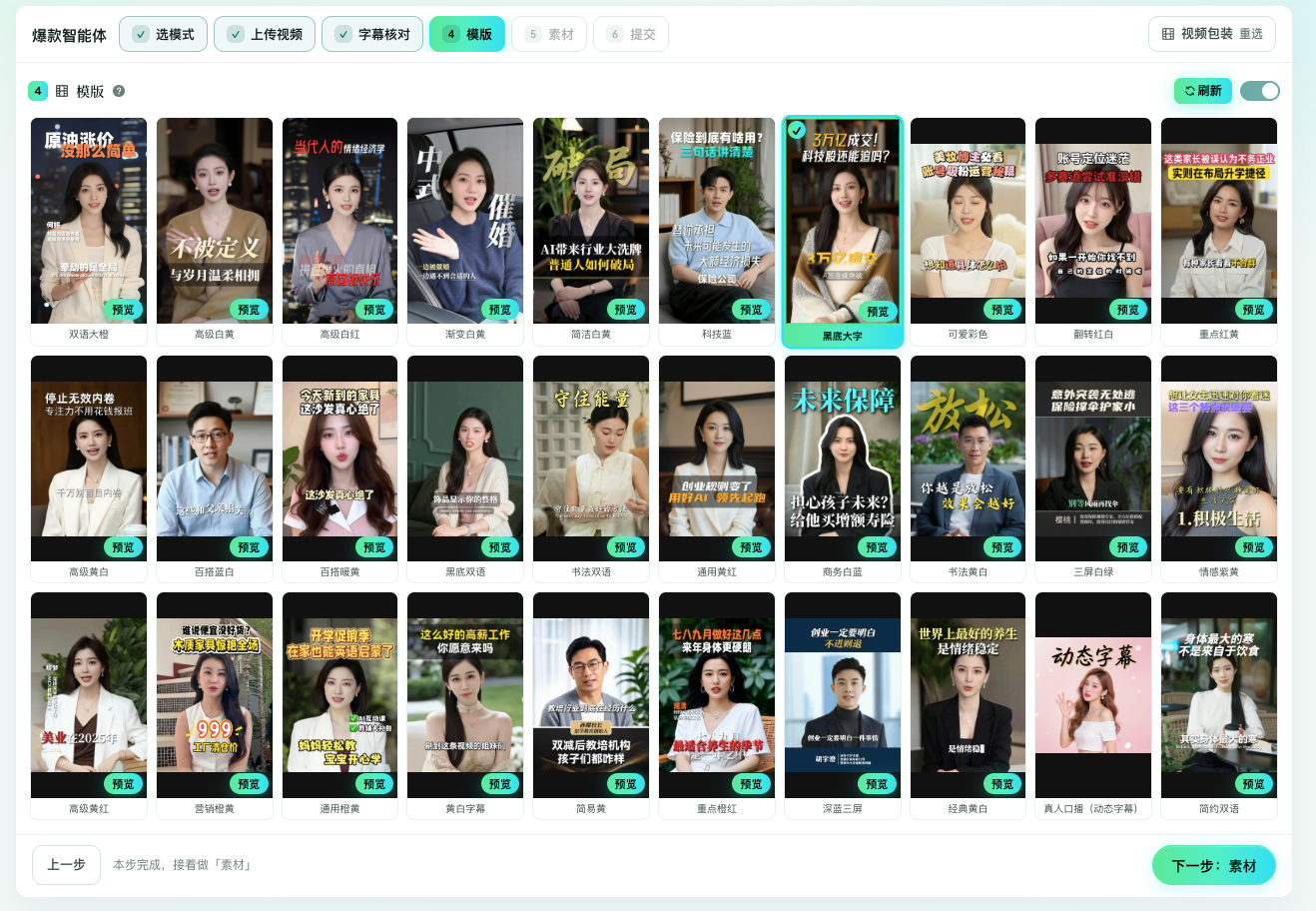
演示地址:https://xiaobao.ink/digital_human/agent
请求HEADER:
| 名称 | 值 |
|---|---|
| Content-Type | application/json |
鉴权说明:请在 URL 参数或 JSON Body 中携带 key(平台 API 密钥)。使用 POST + JSON 时,key 必须写在 JSON Body 内。
请求参数说明:
| 名称 | 必填 | 类型 | 示例值 | 说明 |
|---|---|---|---|---|
| key | 是 | string | 你的密钥 | 平台 API 密钥 |
| scene | 是 | string | realMan | 模板场景:virtualman 数字人口播;realMan 真人口播;oralMixCutting 素材混剪;newsMixCutting 新闻混剪 |
| pageSize | 否 | int | 10 | 每页大小,默认 10 |
| sid | 否 | string | 分页游标,有值时表示还有下一页 | |
| searchKey | 否 | string | name | 搜索字段:name 按名称;id 按模板 ID |
| searchValue | 否 | string | 搜索值 | |
| sortBy | 否 | string | desc | 排序:desc 上架时间倒序;asc 正序 |
返回参数说明:
| 名称 | 类型 | 说明 |
|---|---|---|
| code | int | 200 成功 |
| msg | string | 状态信息 |
| data.result.data.results[] | array | 模板列表 |
| data.result.data.results[].id | string | 模板 ID(styleId) |
| data.result.data.results[].name | string | 模板名称 |
| data.result.data.results[].coverUrl | string | 封面 URL |
| data.result.data.results[].scene | string | 场景枚举 |
| data.result.data.results[].demoUrl | string | 样片视频 URL |
| data.result.data.sid | string | 下一页游标(可选) |
Response example
{ "code": 200, "msg": "success", "data": { "result": { "code": "Succeed", "data": { "results": [ { "id": "6a2668a137004e003477b6ed", "name": "双语大橙", "coverUrl": "https://example.com/cover.jpg", "scene": "realMan", "demoUrl": "https://example.com/demo.mp4" } ], "sid": "" } } }, "exec_time": 0.35, "ip": "127.0.0.1"}
FAQ
模板列表接口做什么?
按场景(如真人口播、口播混剪、新闻混剪)列出可用模板,供 create 时填写 styleId。
scene 怎么填?
按文档枚举填写,例如 realMan、oralMixCutting、newsMixCutting 等。
如何翻页?
使用返回的 sid 作为下一页游标;为空表示没有更多。
返回的 id 用在哪里?
作为真人口播/混剪等 create 请求中的 styleId(模板 ID)。
需要鉴权吗?
需要。请求携带平台 API Key。
Related APIs
- Smart editing — template details API
- Smart editing — presenter video API
- Smart editing — voiceover montage API
- Smart editing — news remix API
Full console doc (with the debugger):/doc/23